


Notification channels
Alerts and reports send their messages to channels: a Slack channel, a Discord channel, a Teams channel, PagerDuty, or any webhook. A message leaves quanthea when it is sent, so only admins add and change channels, in Settings → Notifications.
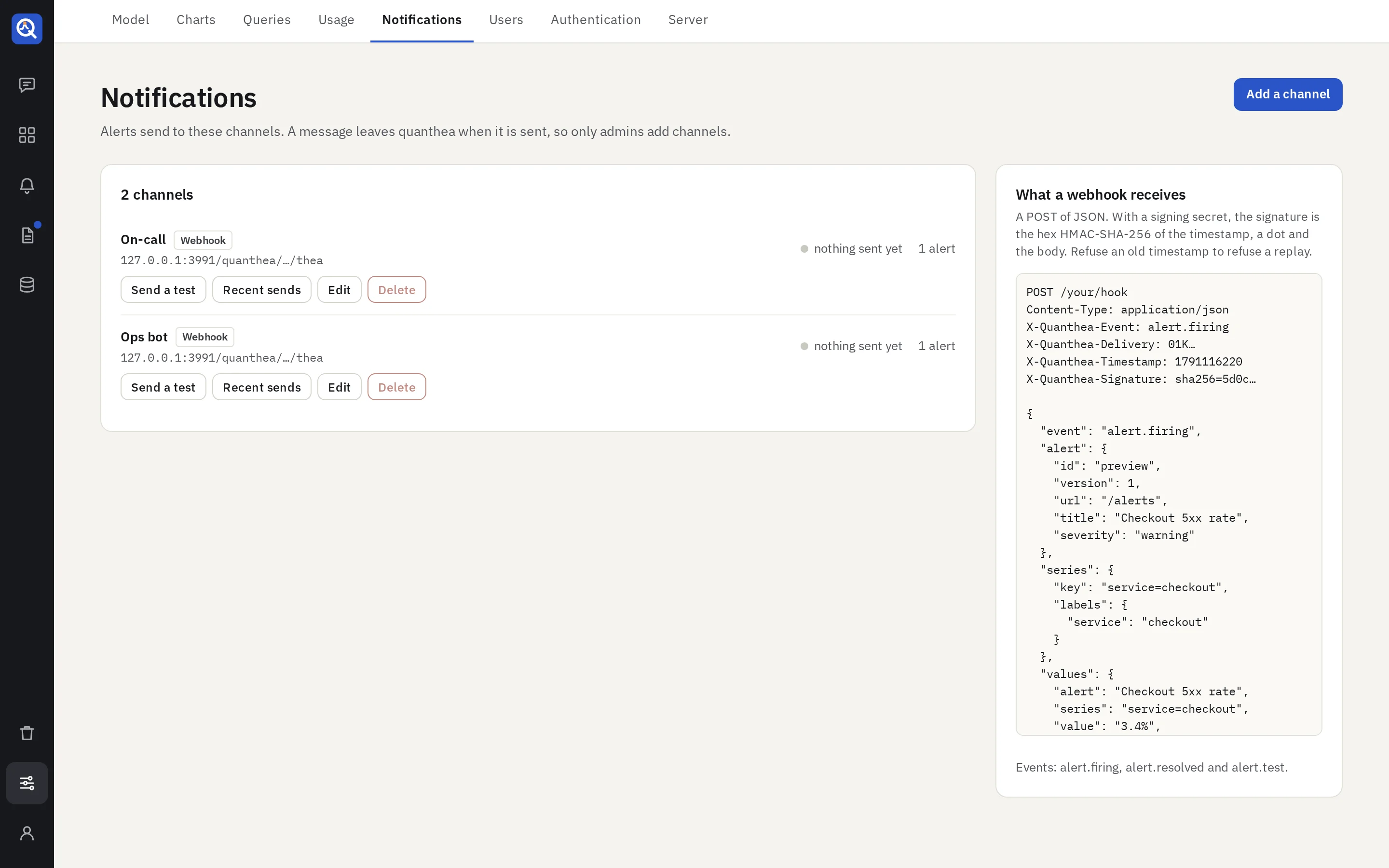
Add a channel
Add a channel, name it (“On-call”, “#sales”), pick its kind and paste its target:
| Kind | Target |
|---|---|
| Slack | An incoming webhook URL |
| Discord | A channel webhook URL |
| Teams | A Workflows webhook URL |
| PagerDuty | An Events API v2 routing key |
| Webhook | Any URL; plain http too, for a receiver on your own network |
Then Send a test. The target is sealed and only ever shown masked.
- Mentions, for Slack and Discord: who to ping when an alert starts firing, a report fails or
an alert can’t be checked, such as
<!here>or a role. Mentions never come from the data. - Signing secret, for a webhook: each request is then signed, so your receiver can check it came from quanthea. The page shows what a webhook receives, headers and body.
What each service gets
- Slack: a message with a bar coloured by state, the fields, and an “Open in quanthea” button.
- Discord: an embed with the fields and a link.
- Teams: an Adaptive Card with the fields and an “Open in quanthea” action.
- PagerDuty: an incident that opens when an alert fires and resolves when it stops. A report pages no one when it is ready; a report that fails opens a warning, which the next good run closes.
- Webhook: the notification as JSON.
Text from your data is escaped for each service, so it never becomes a link, a mention or formatting.
Each channel
- Recent sends: every message, whether it got through, and the HTTP status.
- Edit: an empty target or secret keeps the stored one.
- Delete: asked twice, and refused while an alert or a report sends to it.
A failed send is retried twice; quanthea honours a short Retry-After. The log keeps 30 days.
Without a channel
An alert still fires on its page and a report still runs; nothing is sent. The agent tells you an admin can add a channel here.